Reframe
Keep your face in frame when you change the shape of the video.
Toast tracks your face, so the video can be cropped to another shape (for example 9:16 for Reels) and keep you in the frame.
Open Properties → Reframe in Precision mode.
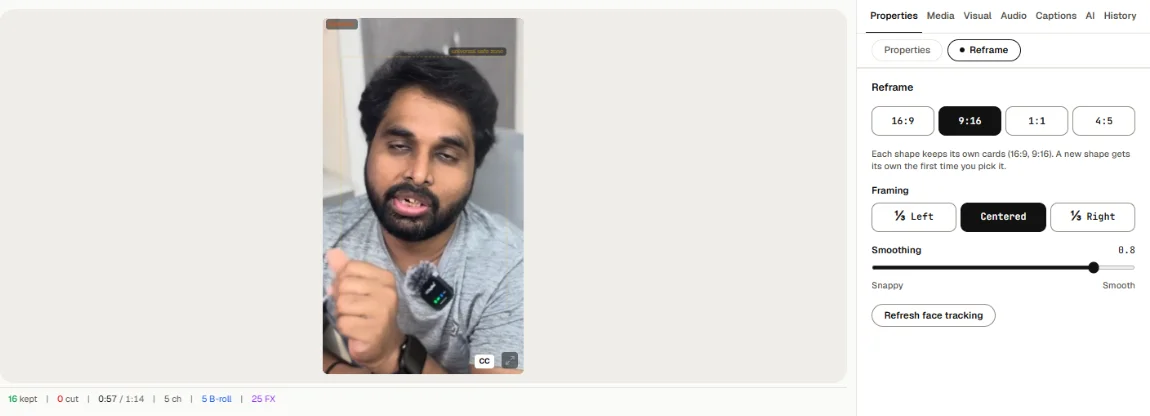
- Shape: 16:9, 9:16, 1:1 or 4:5.
- Framing (for shapes other than 16:9): keep your face at ⅓ Left, Centered or ⅓ Right.
- Smoothing: Snappy follows quick moves; Smooth moves the frame gently.
- Refresh face tracking: run face tracking again if the frame drifts.
The export page has the same shapes. A portrait video exported at 16:9 can have Blur the sides turned on. See Export.