AI Chat
Edit your video by telling Toast what to change.
AI Chat is the left panel in Chat mode. In Precision mode, press Open chat, or press Ctrl+J anywhere.
Type in the box (Tell Toast what to change…) and press Enter. Every change can be undone with Undo.
Try asking
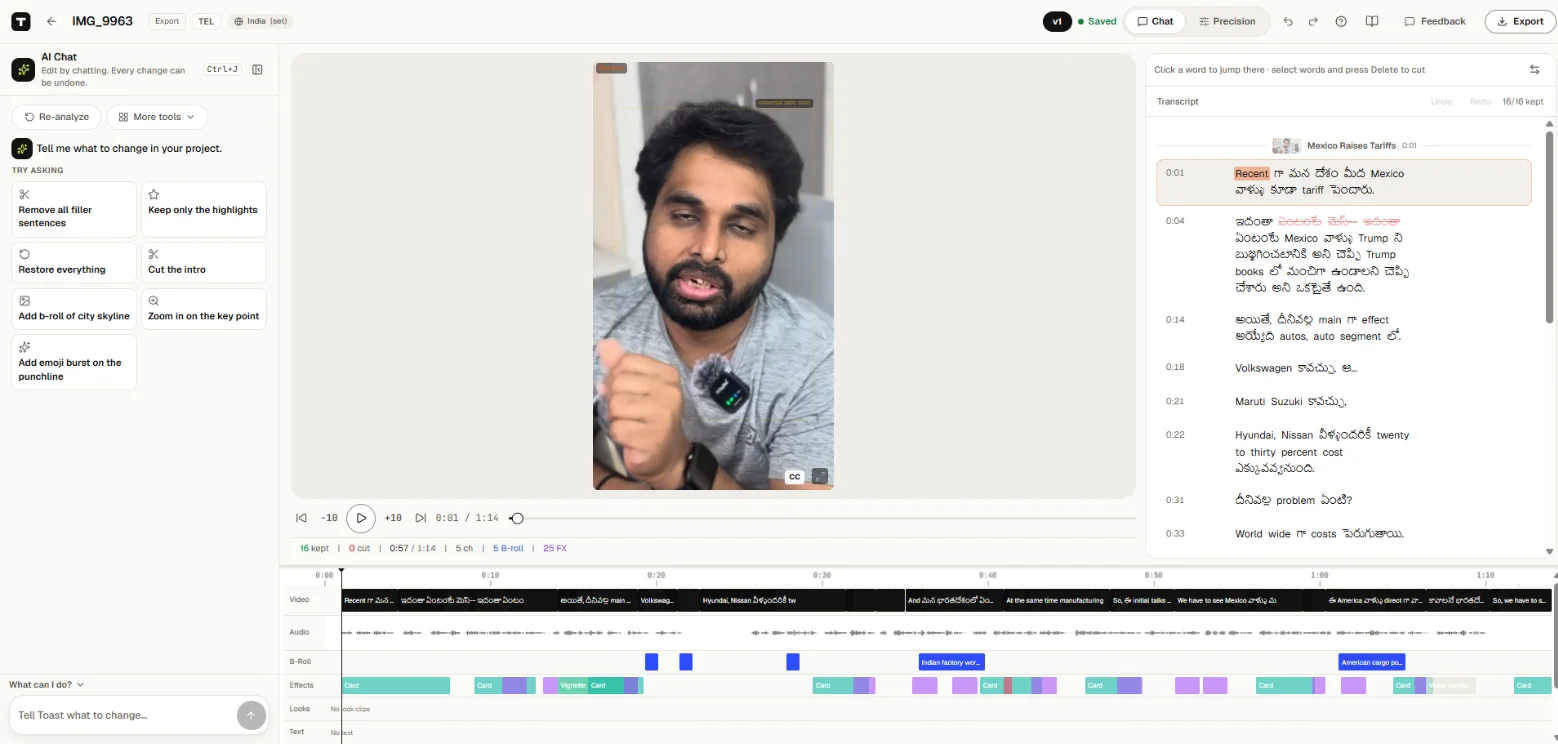
- "Remove all filler sentences"
- "Keep only the highlights"
- "Restore everything"
- "Cut the intro"
- "Add b-roll of city skyline"
- "Zoom in on the key point"
- "Add emoji burst on the punchline"
Press What can I do? in the chat for more ideas.
Tips
- Be specific about where: "cut the part about pricing", "zoom in when I say 'three steps'".
- One change at a time is easiest to check and undo.
- To remove filler words ("um", "uh"), ask the chat. There is no separate filler button.