Effects, text and transitions
Cards every few seconds, zooms, text, transitions and colour.
All four are in Precision mode under Visual.
Cards every few seconds
Toast's AI plans a visual change every 2 to 3 seconds: cards with key words, punch-in zooms and on-screen text, timed to what you say. They appear on the Effects lane. Move, change or delete any of them like your own.
Effects
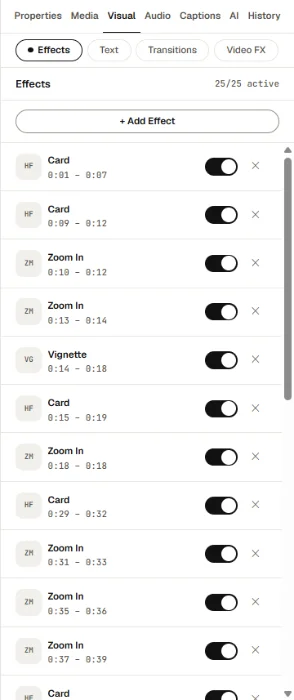
Visual → Effects lists the effects in your video and lets you add more, for example:
- zooms on your face
- lower thirds with a name and title
- a Card: an animated graphic with your words
- arrows, circles, scribbles, emoji, a progress bar or a countdown ring
Select an effect to set its colours, position and timing.
Text
Visual → Text: press + Add text and type on the video. On the video:
- T adds text
- Ctrl+D duplicates it
- Delete removes it
- arrow keys nudge it (hold Shift to move 10 px)
Transitions
Visual → Transitions: pick a cut under Add transition at cut:, then choose the type, direction, easing and sound. Add film burn at cut adds a film-burn flash.
Video FX
Visual → Video FX has Color Presets and colour controls for the whole video.