Property videos
Upload a property's shoot. Toast reads every room and every clip, then makes tours and reels with your facts on screen.
A property video starts from the whole shoot of one home, office or project: the videos, photos and sound files. Toast reads them, finds the rooms and the best shots, and shows you the videos it can make.
Start from the Property video card on Home. Or go to All Projects, press Property videos, then New property.
You upload the shoot
Unlike a talking-head edit, a property's shoot is uploaded to Toast so it can be read and the videos made on Toast's servers. It is kept privately while the property is in your account. The privacy page explains exactly what is stored, what is sent where, and when it is deleted.
The six steps
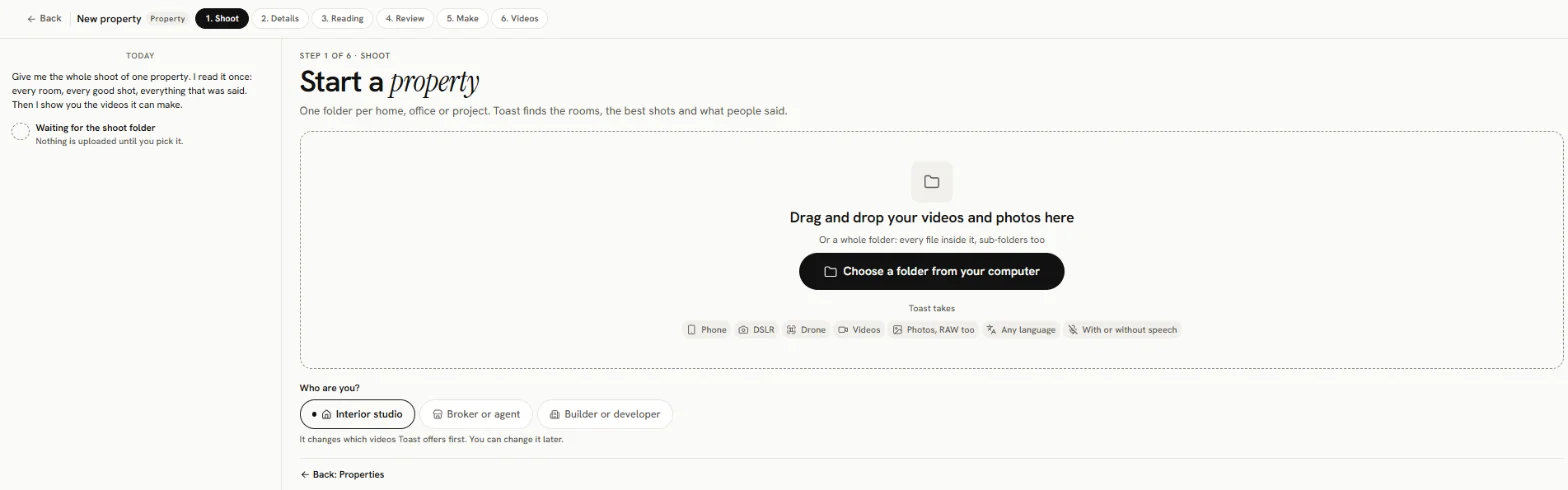
The bar at the top of a property shows where you are:
- Shoot: pick the folder and upload it.
- Details: the property's facts, its status and your brand kit. Every field is optional.
- Reading: Toast reads the rooms, the shots and what people said.
- Review: check what Toast understood, rename rooms, leave shots out.
- Make: pick a plan, or describe the video you want.
- Videos: preview, make, change the music, download.
Coming back to a property
Go to All Projects → Property videos and open the property. Its page shows Videos, The reading and Files. Press Make a video (or Make another video), Add more footage, or Details. Interior studios also see the tabs Make and Your videos while they work.
There is no delete button for a property or a video in the web app yet.
What it costs
There is no price shown for property videos today: uploading, reading, planning and making them is not charged to your wallet. Anything optional that costs money shows its price on its button before you press it.
Who it is for
When you start a property, Toast asks Who are you?:
- Interior studio (the default)
- Broker or agent
- Builder or developer
It changes which videos Toast offers first. You can change it later on the Details step.
What to shoot
- Film every room, holding the camera steady.
- Keep people out of the shot, and nothing in front of the lens.
- Use good light.
- For a testimonial, film the client talking to the camera, plus clean shots of at least 2 rooms.