Captions
Word-by-word captions in 13 animated styles, in your language or another, burned into the export.
Captions are on from the start. To change them, open Captions in Precision mode (or press Ctrl+K and choose "Show Captions"). Turn them on or off with the switch at the top.
Style
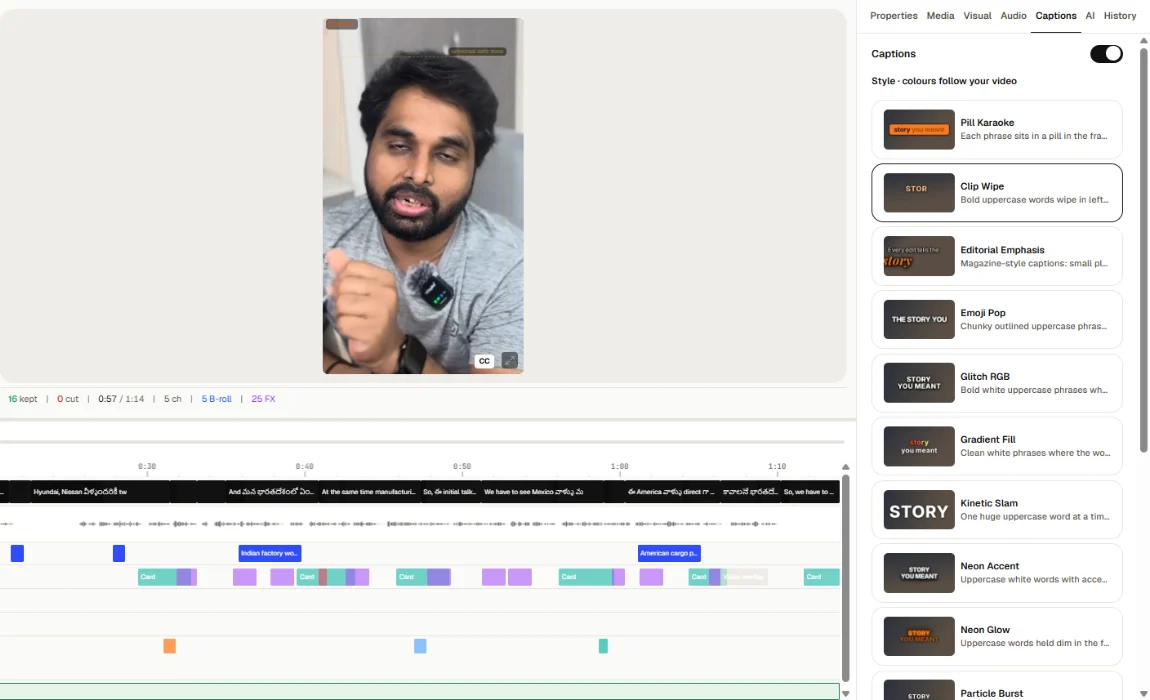
Under Style · colours follow your video, pick one of 13 styles:
Pill Karaoke, Clip Wipe, Editorial Emphasis, Emoji Pop, Glitch RGB, Gradient Fill, Kinetic Slam, Neon Accent, Neon Glow, Particle Burst, Texture, Weight Shift and Callout Highlight.
Caption colours are chosen from your video, so they stay readable.
Language
Under Language · captions and titles, pick the language for captions and card titles. If it is not the language you spoke, Toast translates them.
Letters
For languages written in another script (Hindi, for example), choose Letters:
- As spoken: in the language's own script.
- English letters: the same words written in English letters ("kya aapka").
Fix a caption
Captions come from the script. Double-click a word in the script to correct it.
On export
Burn-in captions on the export page is the same switch: while it is on, captions are drawn into the video. You can also download an SRT file to upload to YouTube and other platforms.