B-roll
Footage and pictures over your video, chosen by the AI or by you.
B-roll is footage or a picture shown over your video while you keep talking. Open it in Precision mode: Media → B-Roll. The panel is titled B-Roll Overlays.
Where it comes from
Toast's AI suggests B-roll from what you say, at the amount you picked in setup (Light to Full B-roll). It searches stock footage and photos for each moment. When you name a real person or company, Toast looks for a licensed photo or logo of them.
If the panel says No B-roll suggestions yet, run the AI edit first (Re-analyze). If you chose None in setup, Re-analyze won't add B-roll: ask the chat ("Add b-roll of city skyline") or press Add Media on a segment.
Change a clip
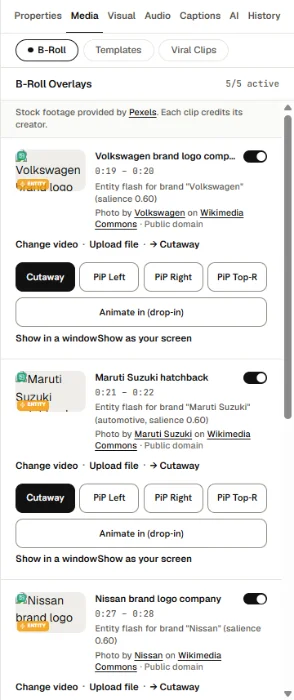
- Search for something else with Search keyword….
- Pick another suggestion for the same moment.
- Choose how it sits on screen. Some layouts put the clip in a window at the top with you in a rounded panel below it, which suits screen recordings.
- Drag it on the B-Roll lane to move it, or drag its edges to change how long it shows.
You can also ask the chat: "Add b-roll of city skyline".
Add B-roll to a segment
In the script, hold the pointer over a segment and press Add Media.
Credits
Stock and Creative Commons pictures may need a credit. Toast lists them on the export page.