Style, script and voice
Pick a style, shape and picture quality, then give Toast a voiceover or a script and choose the narrator.
Step 1: Style
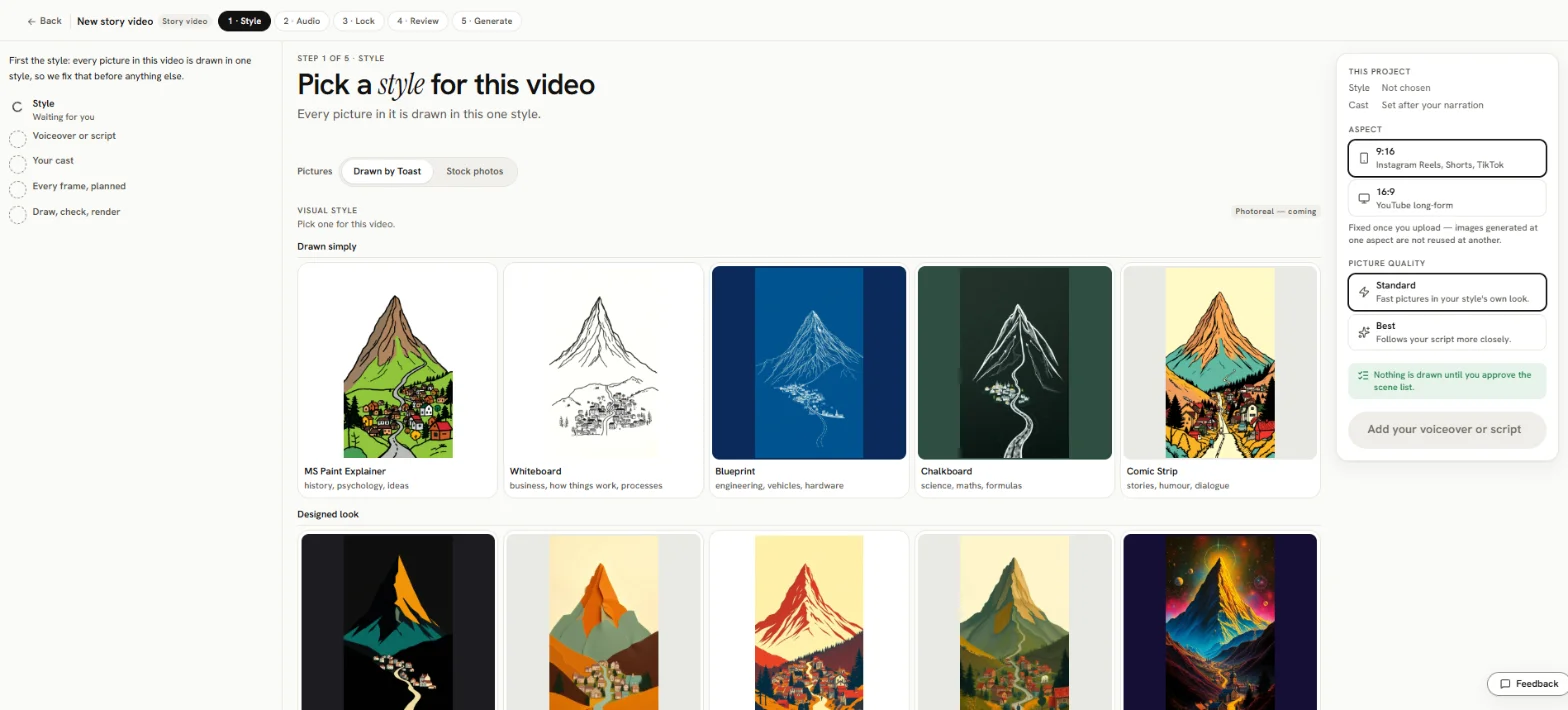
Under Pictures, pick:
- Drawn by Toast: every picture is drawn in one style you choose.
- Stock photos: a video from stock photos, with no style, no cast and no picture quality to choose.
Styles
There are 12 styles: MS Paint Explainer, Whiteboard, Blueprint, Chalkboard, Comic Strip, Flat Vector Dark, Paper Cutout, Retro Print, Storybook Gouache, Cosmic Airbrush, Isometric Toy and Noir Ink.
This project
The This project card beside the styles holds:
- Aspect: 9:16 (Reels, Shorts, TikTok) or 16:9 (YouTube).
- Picture quality: Standard (default: fast pictures in your style's own look) or Best (follows your script more closely, and costs more per picture). You can switch picture quality again before anything is drawn.
- Add your voiceover or script: the button to the next step.
The style and the aspect can't be changed after the video is made.
Step 2: Voiceover or script
Pick a tab:
Upload a voiceover
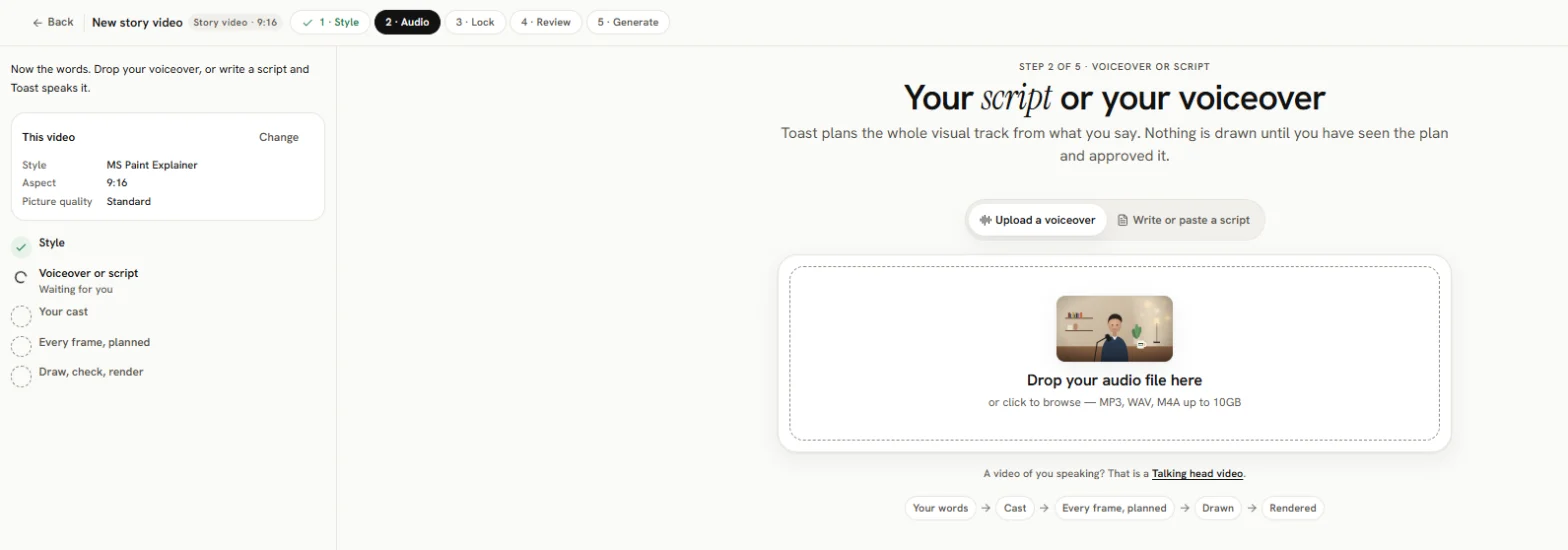
Add your Audio narration file (MP3, WAV or M4A). A video file opens a Talking head project instead. Tick Clean this audio first to remove background noise, filler words, long pauses and repeated lines.
Write or paste a script
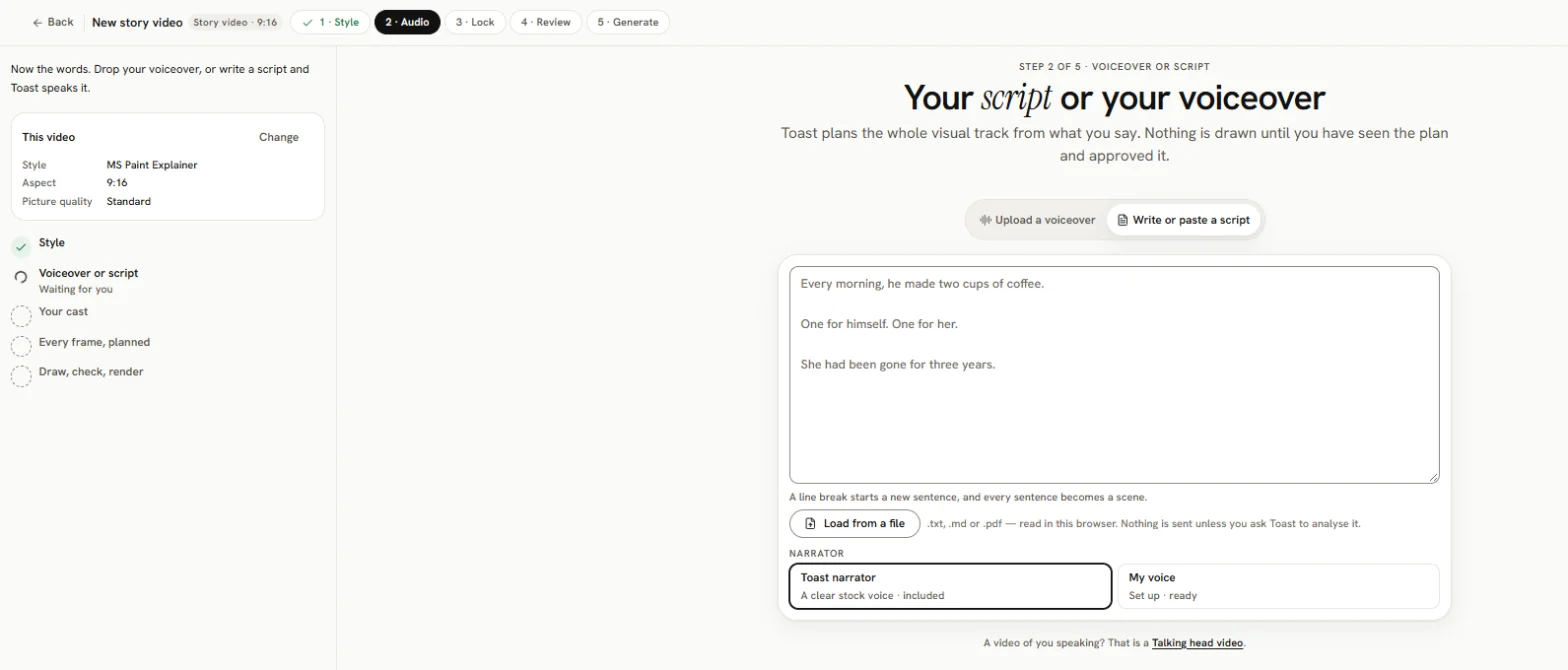
Type or paste your script (up to 50,000 characters), or press Load from a file to read a .txt, .md or .pdf file. Each line break starts a new scene, so check them. Undo, put my draft back restores what you had before loading.
Words in [square brackets] are directions and are not spoken.
A document with more than the narration in it (notes, a music cue sheet) is sorted into three columns: Spoken (read aloud, one line per scene), Direction (kept, not spoken; Toast uses these to draw) and Ignored (neither spoken nor drawn). Move lines between them if Toast got one wrong.
Narrator
Toast narrator, a clear stock voice, is the default. If you see a Narrator choice, you can also pick My voice: your own voice, set up once with about a minute of recording. Manage it in Settings › Voice. Narration in your own voice costs a little extra per minute.
Start
The button depends on what you gave:
- Plan my video (a voiceover)
- Speak it and plan my video (a script, Toast narrator)
- Set up my voice, then Speak it in my voice and plan my video (a script, your voice)
Toast then works out what to draw. Leave this open. Nothing is drawn yet: the plan comes first.