After it is made
Download it, change a scene, make other shapes, get the thumbnail, captions and post kit, or delete the video.
When the video is ready, Toast shows what it checked, for example Toast checked: all your text and pictures are in the video.
Download it
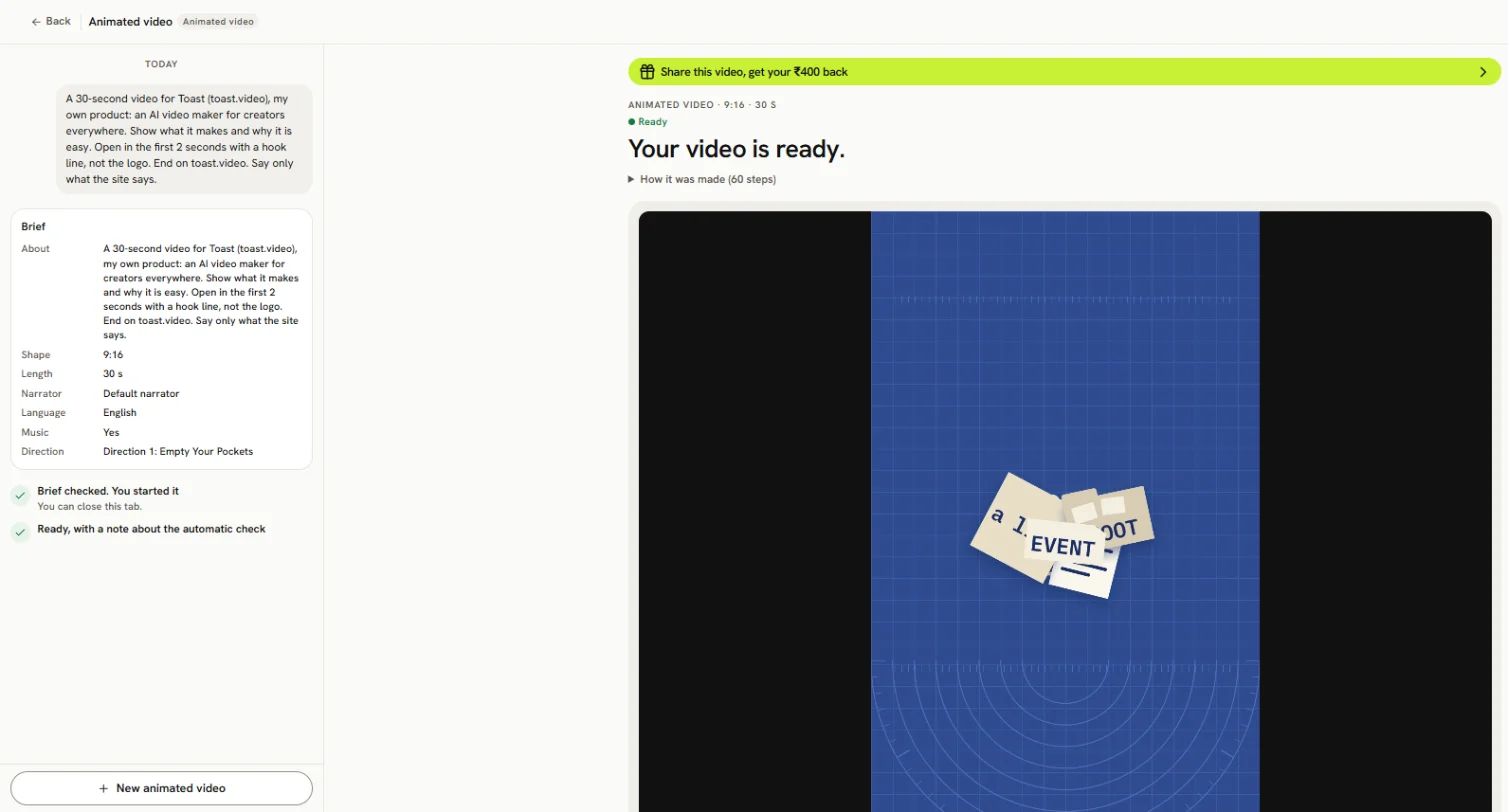
Press Download the MP4 under the video. Share on Toast gives it a page you can send. Find the video again any time under All Projects, with the Animated videos filter.
Music credit
If the video has music, copy its credit with Copy credit and show it where you post the video.
Thumbnail and captions (free)

Under Thumbnail:
- Download thumbnail
- Download captions (.srt)
- Choose another frame for a different thumbnail
Change a scene
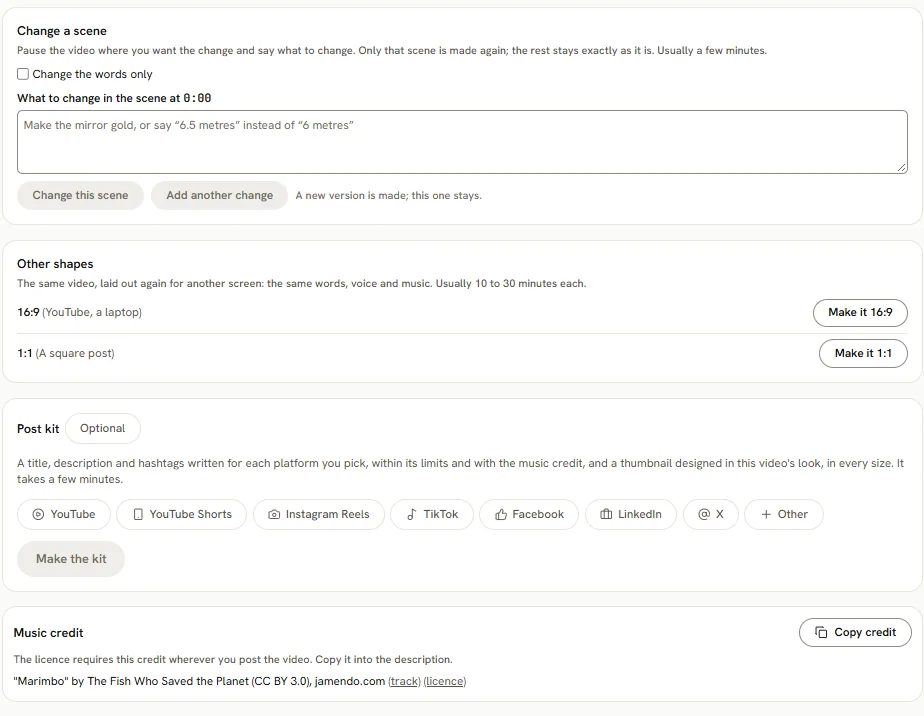
Under Change a scene:
- Pause the video at the scene you want to change.
- Type what to change and press Change this scene. Press Add another change for more, then Make these changes.
- To fix only the words, tick Change the words only and press Change these words.
It usually takes a few minutes. A new version is made; this one stays. All versions are listed under Versions. Each change is charged.
Other shapes
Under Other shapes, press Make it 9:16, Make it 1:1 or Make it 16:9. Each usually takes 10 to 30 minutes and is charged.
Post kit
A post kit you ordered in the brief is made automatically. To make one now, pick the platforms on the video page and press Make the kit. It takes a few minutes and is charged. For each platform, Toast writes a title, a description and tags, and designs thumbnails. Use Copy title, Copy tags and Download. Make another makes a new kit.
Names said wrong
If Toast may have said a name wrong, it lists it under Names Toast may have said wrong. Fix the spelling under How names are said and change the scene.
Delete
Press Delete this video, then Delete. It removes the video, its shapes, versions, thumbnails, captions and kit. This cannot be undone.