Exporting Your Video
Configure export settings, choose a platform preset, and render your final video — all in the browser.
Export Overview
When you're happy with your edit, click the orange Export button in the top-right corner of the editor to open the export settings page.
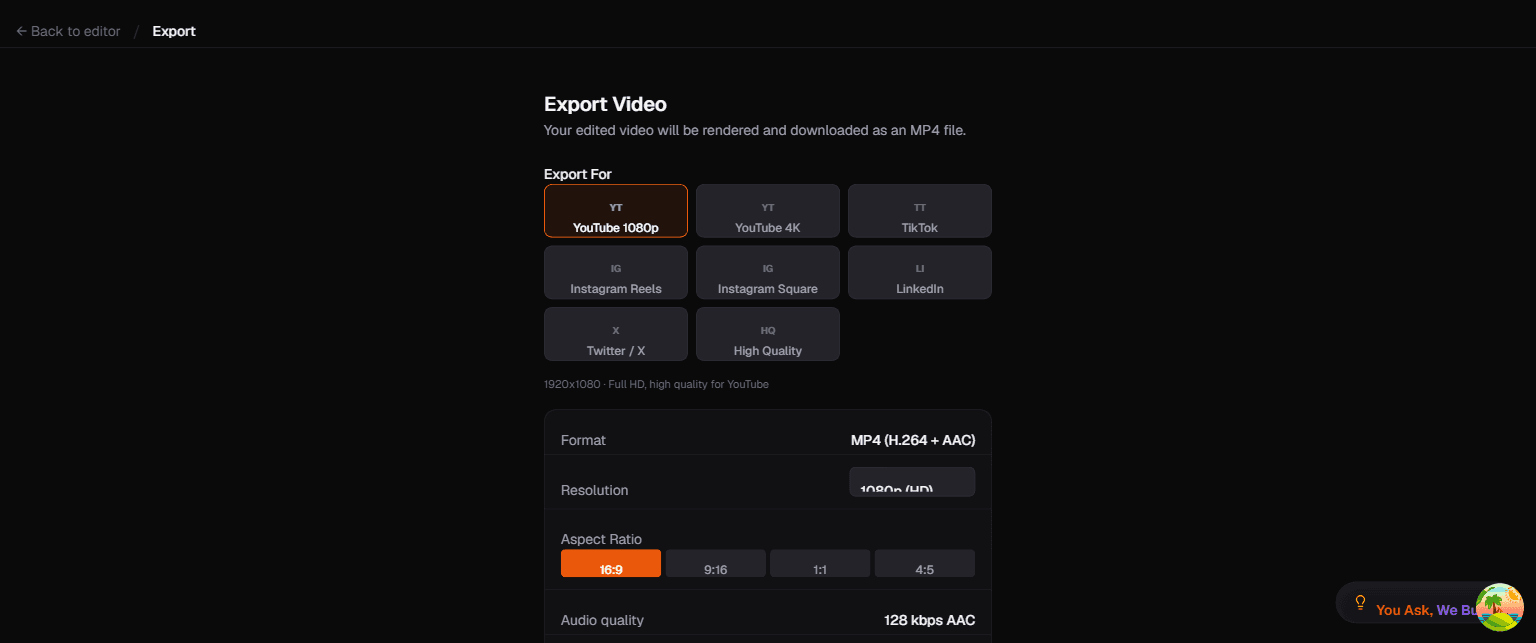
Export Settings
Platform Presets
Choose a preset optimized for your target platform:
| Preset | Resolution | Aspect Ratio | Notes |
|---|---|---|---|
| YouTube 1080p | 1920x1080 | 16:9 | Full HD, standard for YouTube |
| YouTube 4K | 3840x2160 | 16:9 | Ultra HD for maximum quality |
| TikTok | 1080x1920 | 9:16 | Vertical, auto-reframes to follow face |
| Instagram Reels | 1080x1920 | 9:16 | Vertical, same as TikTok |
| Instagram Square | 1080x1080 | 1:1 | Square format for feed posts |
| 1920x1080 | 16:9 | Professional, Full HD | |
| Twitter / X | 1280x720 | 16:9 | Optimized for X's player |
| High Quality | Source resolution | Source ratio | Maximum quality export |
Format
All exports use MP4 (H.264 + AAC) — the most widely compatible format across all platforms and devices.
Resolution
Choose from the dropdown:
- 720p (HD) — smaller file, faster export
- 1080p (Full HD) — recommended for most uses
- 4K (Ultra HD) — highest quality, larger file
Aspect Ratio
Four options: 16:9 (landscape), 9:16 (vertical), 1:1 (square), 4:5 (portrait).
When changing from landscape to vertical, Toast uses face tracking to intelligently crop and follow the speaker.
Audio Options
- Audio quality: 128 kbps AAC
- Audio crossfade: Smooth transitions at cut points (enabled by default)
Caption Options
- Burn-in captions: Toggle to render captions permanently into the video
- Caption style: Choose from 10 styles (Toast, Hormozi Bold, MrBeast Pop, etc.)
How Export Works
Export happens entirely in your browser using WebCodecs:
- Toast reads the edit manifest and source video from OPFS
- Frames are decoded, effects are applied via WebGPU, and captions are rendered
- The output is encoded to H.264 and muxed into an MP4 container
- The final file is downloaded to your computer
No server involved — your video never leaves your device, even during export.
Export Time
Typical export times depend on resolution and video length:
| Video Length | 720p | 1080p | 4K |
|---|---|---|---|
| 1 minute | ~15s | ~30s | ~2m |
| 5 minutes | ~1m | ~2m | ~8m |
| 10 minutes | ~2m | ~4m | ~15m |
Times vary based on your device's GPU and CPU capabilities.