The editor
Chat and Precision modes, the header, the Inspector and its seven groups.
The editor has two modes. Switch between them at the top: Chat and Precision. Your choice is remembered in this browser.
The header
From left to right:
- the back arrow, the project title and its language
- version chips (v1, v2, v3…): click an older one to bring it back as a new version
- the save state: Saving…, Saved or Not saved
- the Chat / Precision switch
- Undo and Redo
- Re-analyze (Precision): runs the AI edit again. After you correct words, it reads Re-analyze with corrections (N).
- help and tours, feedback
- Make it premium, where it is on for your account. See Make it premium.
- Export
On a narrow screen some of these are hidden to make room.
Chat mode
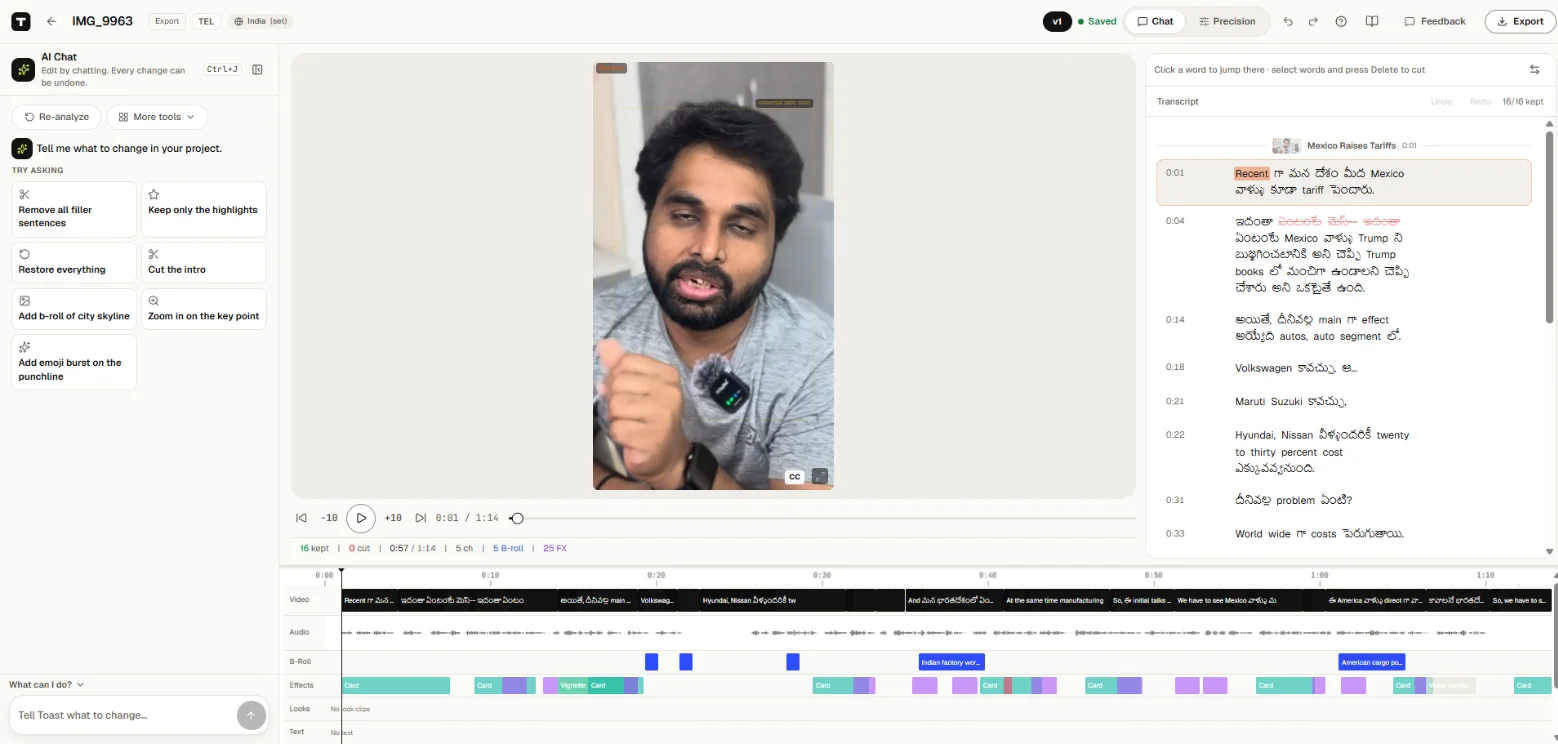
The default. On the left is AI Chat: Edit by chatting. Every change can be undone. Its first button is Re-analyze (or Re-analyze with corrections (N)). In the middle are the video and the script, with the timeline underneath. See AI Chat.
Precision mode
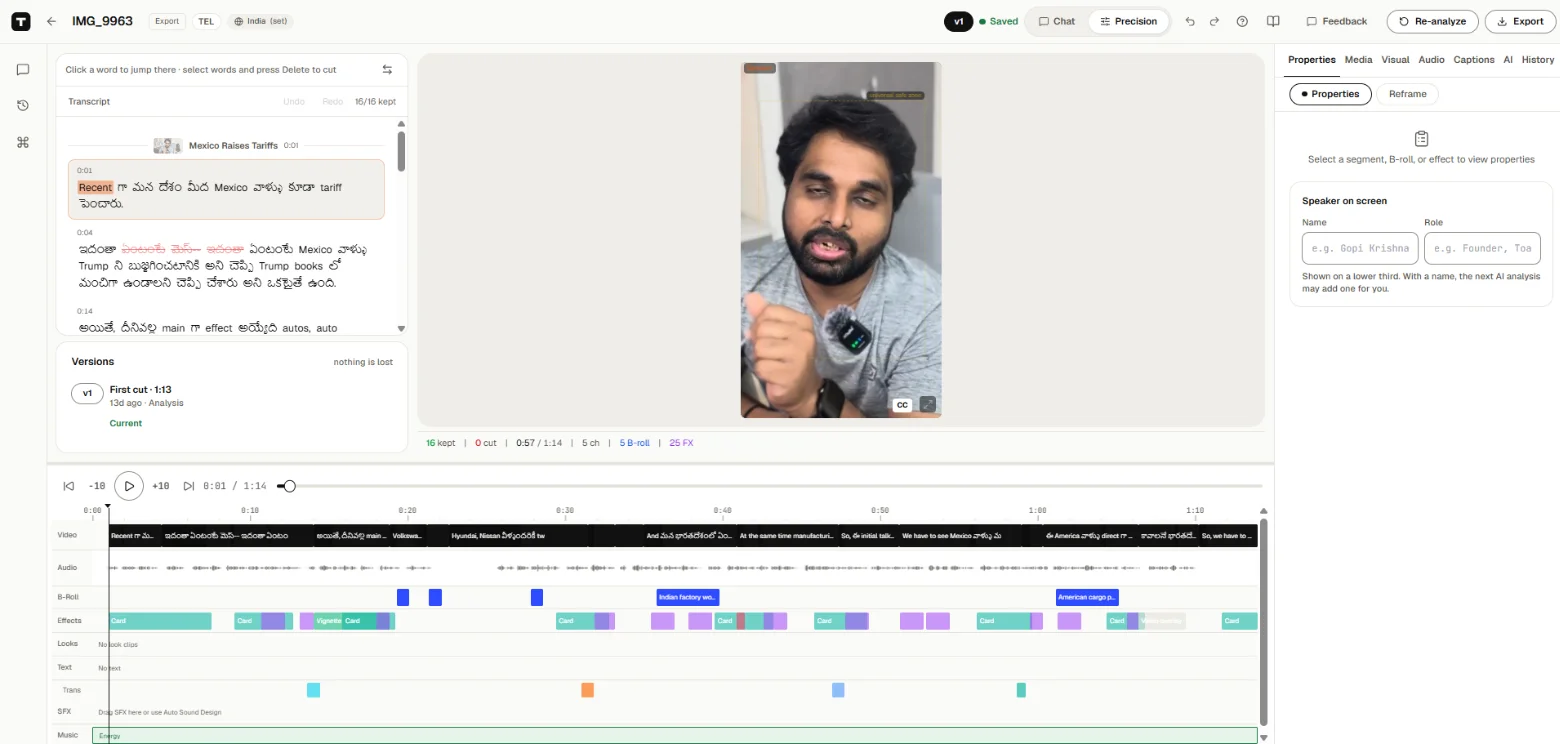
For hands-on editing. A slim rail on the left has Open chat, Versions and Commands (Ctrl+K); hold the pointer over an icon to see its name. You get the script, the video, the full timeline and the Inspector.
The Inspector
The Inspector has seven groups. Each group has tabs:
| Group | Tabs |
|---|---|
| Properties | Properties (what is selected, and its speed), Reframe |
| Media | B-Roll, Templates, Viral Clips |
| Visual | Effects, Text, Transitions, Video FX |
| Audio | Sound FX, Music |
| Captions | Captions |
| AI | AI Reasoning, Premium (where it is on) |
| History | History |
Select a segment, a B-roll clip or an effect, and the Properties tab shows its settings. With nothing selected it says Select a segment, B-roll, or effect to view properties.
On a screen between 768 and 1279 px wide, the Inspector opens from the Tools button.
The command palette
Press Ctrl+K (Cmd+K on a Mac) to search commands, for example "Show Templates" or "Show Captions". A command that opens a panel switches to Precision mode.
On a phone
The editor has four tabs at the bottom: Chat, Script, Lanes and More.