AI Features
Viral Clips
AI-generated short-form clips from your video — ready for TikTok, Reels, and Shorts.
AI Viral Clips
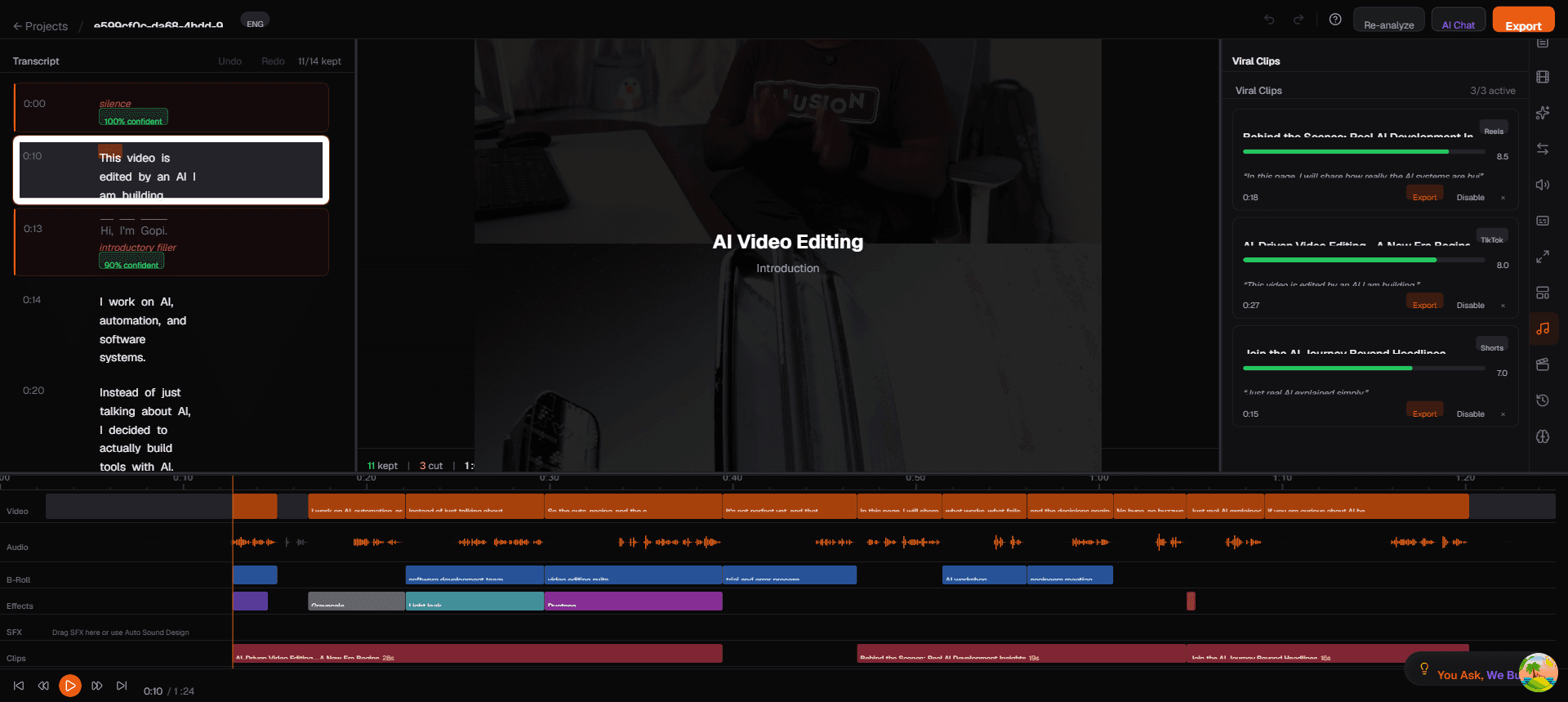
Toast uses AI to identify the most engaging moments in your video and extract them as standalone short-form clips, ready for TikTok, Instagram Reels, and YouTube Shorts.
How It Works
During processing, the AI analyzes your transcript alongside the edit manifest to identify:
- High-impact statements — strong opinions, surprising facts, emotional peaks
- Self-contained segments — moments that make sense without surrounding context
- Quotable moments — short phrases that work well as standalone content
These clips appear on the Clips track in the timeline as orange blocks with titles and durations.
Viewing Clips
- Click the Clips icon in the right sidebar
- Browse the list of AI-generated clips
- Click a clip to preview it in the video player
- Each clip shows a title and duration
Exporting Clips
Clips export in 9:16 vertical format automatically:
- Click on a clip in the Clips panel
- Click Export Clip
- The clip is rendered with:
- 9:16 aspect ratio (vertical)
- Smart reframe to keep the speaker centered
- All applied effects and captions
You can also export clips from the main export page by selecting the clip from the dropdown.
Tips
- Review before posting — AI-selected clips are good starting points but may need minor trimming
- Add captions — vertical clips on social media almost always perform better with burned-in captions
- One video, many clips — a 10-minute talking-head video typically generates 3-5 viral clip candidates